
Unitee-X
Included with every Unitee Platform subscription
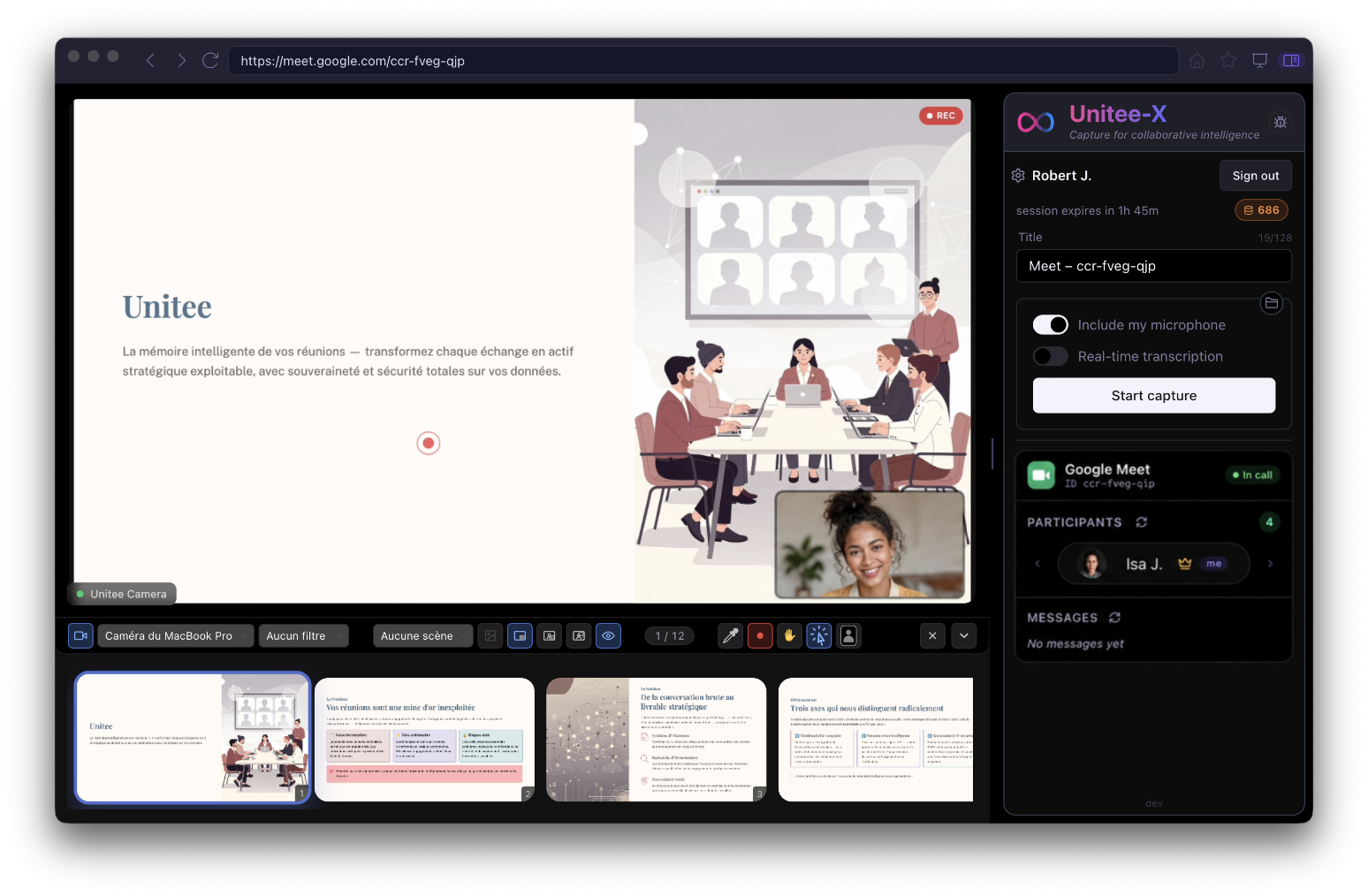
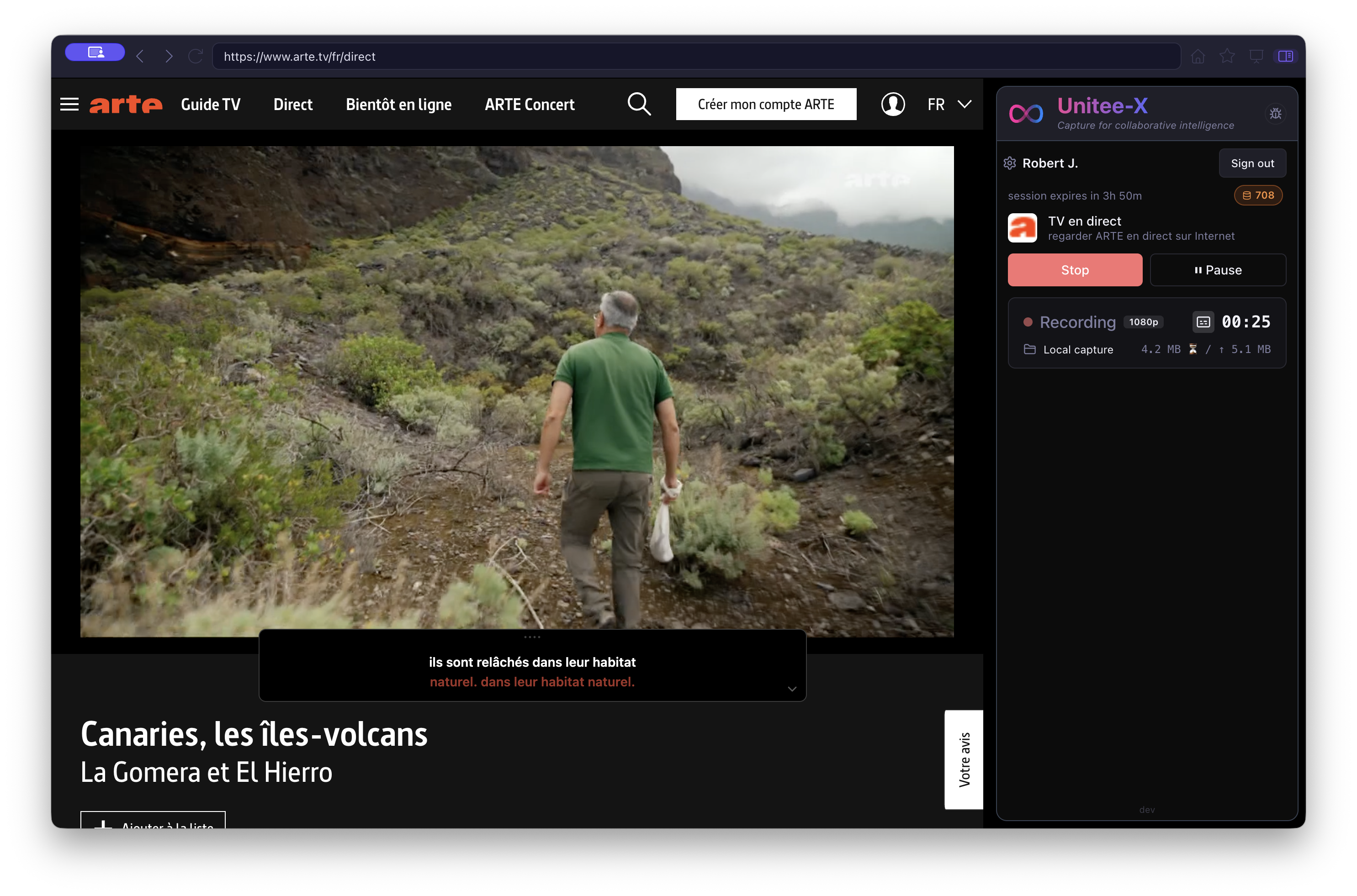
Unitee-X is the intelligent desktop layer that connects your video meetings, digital content, and the Unitee platform. It works across Google Meet, Microsoft Teams, and Zoom, giving you a consistent way to capture and control your meetings without changing the tools your teams already use. Unlike traditional meeting assistants, Unitee-X does not require an AI agent or bot to join the call. It captures meetings directly from your desktop. A meeting is more than an audio track. Unitee-X captures the complete meeting context, including participants, chat messages, shared files, screens, and video streams. This richer context provides a powerful foundation for live captioning, transcription, analysis, reporting, and AI-powered workflows through Unitee Platform. Unitee-X also goes beyond video conferencing. Capture videos from files, URLs, YouTube, your screen, and other digital sources. Bookmark key moments, generate subtitles, and transcribe your content in WEBVTT format. Combined with Unitee-Camera, Unitee-X becomes a professional presentation control center. Manage multiple cameras, apply advanced video effects, share documents and applications through Picture-in-Picture, highlight content with a built-in pointer, display recording indicators, and control presentations using gesture recognition. Designed as a core component of the Unitee ecosystem, Unitee-X creates a continuous workflow from capture to intelligence. It connects your meetings and digital content with Unitee-Camera, Unitee-Meet, and Unitee Platform.
One Layer Across Every Meeting Platform
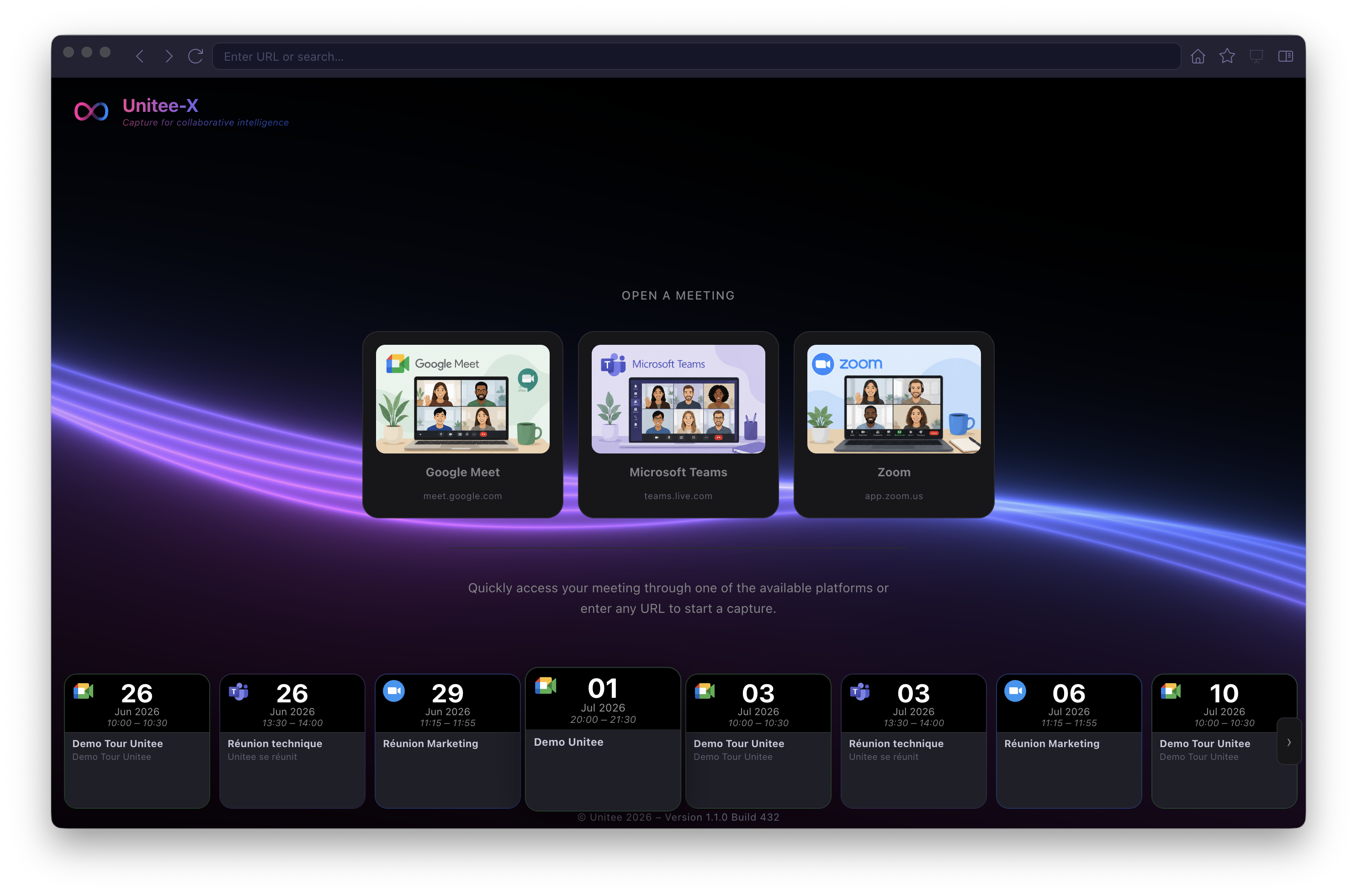
- Work across Google Meet, Microsoft Teams, and Zoom from a single desktop application.
- Record meetings directly from your desktop without requiring a meeting bot or AI agent to join the call.
- Capture participants, chat messages, shared files, screens, and video streams.
- Enable live captions and real-time transcription during meetings and video playback.
- Preserve the meeting context for analysis and AI-powered workflows.
Meetings Without the Bot
- Automatically detect active meetings across Google Meet, Microsoft Teams, and Zoom.
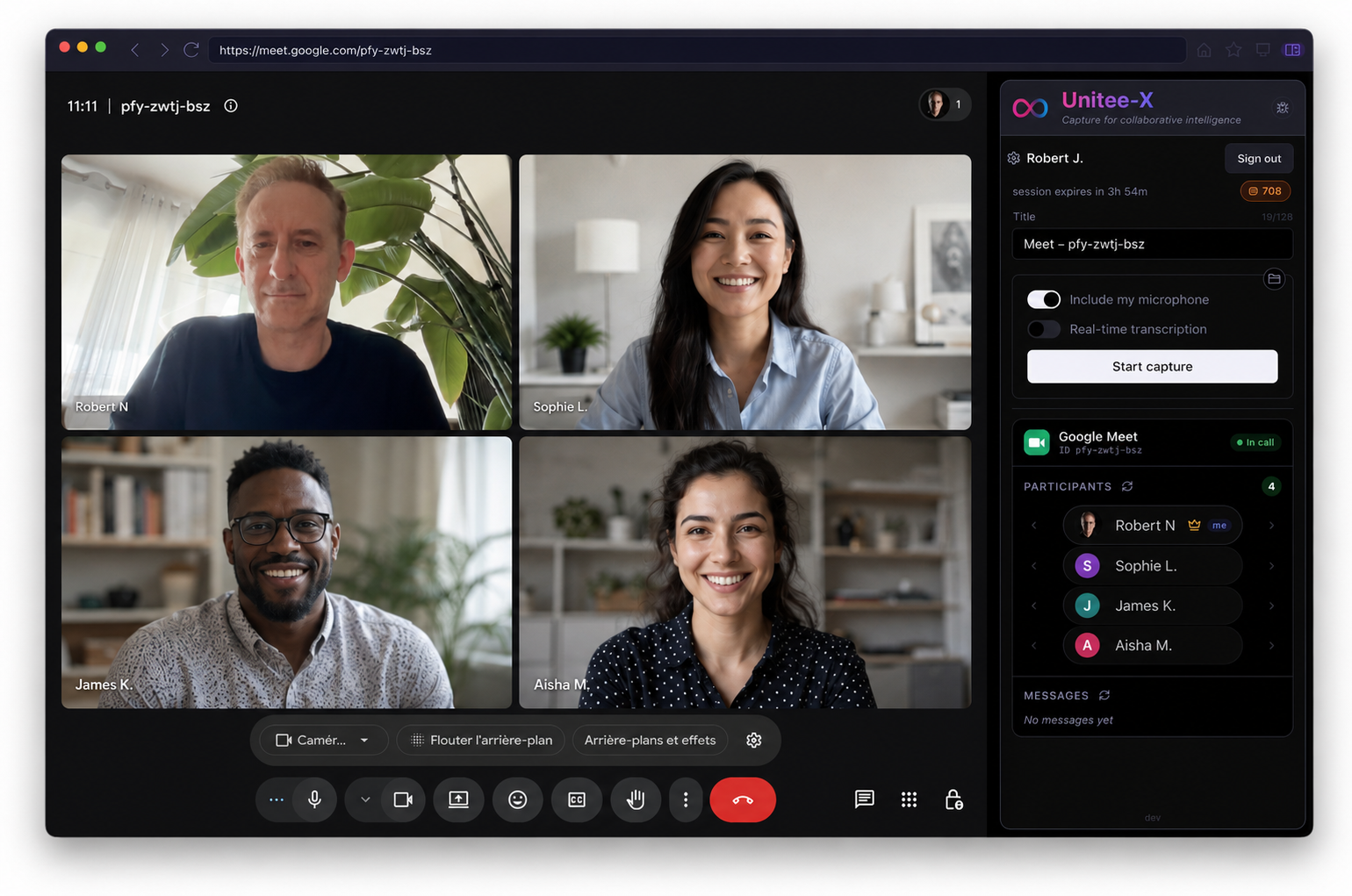
- Record meetings without requiring an agent or bot to join the call.
- Pause recording instantly when confidential discussions take place.
- Capture meeting context including participants, chat messages, shared documents, and screens.
- Include or exclude live captions from the recorded video.
- Automatically generate a complete transcript when the meeting ends.
Capture Anything.
Not Just Meetings.
- Capture videos from local files, URLs, YouTube, and other sources.
- Record your screen or individual application windows natively.
- Bookmark key moments for quick review and navigation.
- Generate live or embedded subtitles for video content.
- Transcribe captured videos into WEBVTT format.
- Record locally or stream captured content to Unitee Platform for further processing.
The Control Center for Professional Presentations
- Connect and switch between multiple webcams through a virtual camera.
- Apply virtual backgrounds, background blur, filters, and mirroring.
- Share documents or application windows seamlessly through Picture-in-Picture.
- Highlight and guide your audience's attention with a built-in cursor pointer.
- Clearly notify participants when a session is being recorded.
- Control your presentation naturally and intuitively with gesture recognition.